Scheduled jobs you can actually see.
Run a command inside your deployed app on a schedule. Dokwe checks the expression, shows the next run, and keeps the status, output and duration of every run.
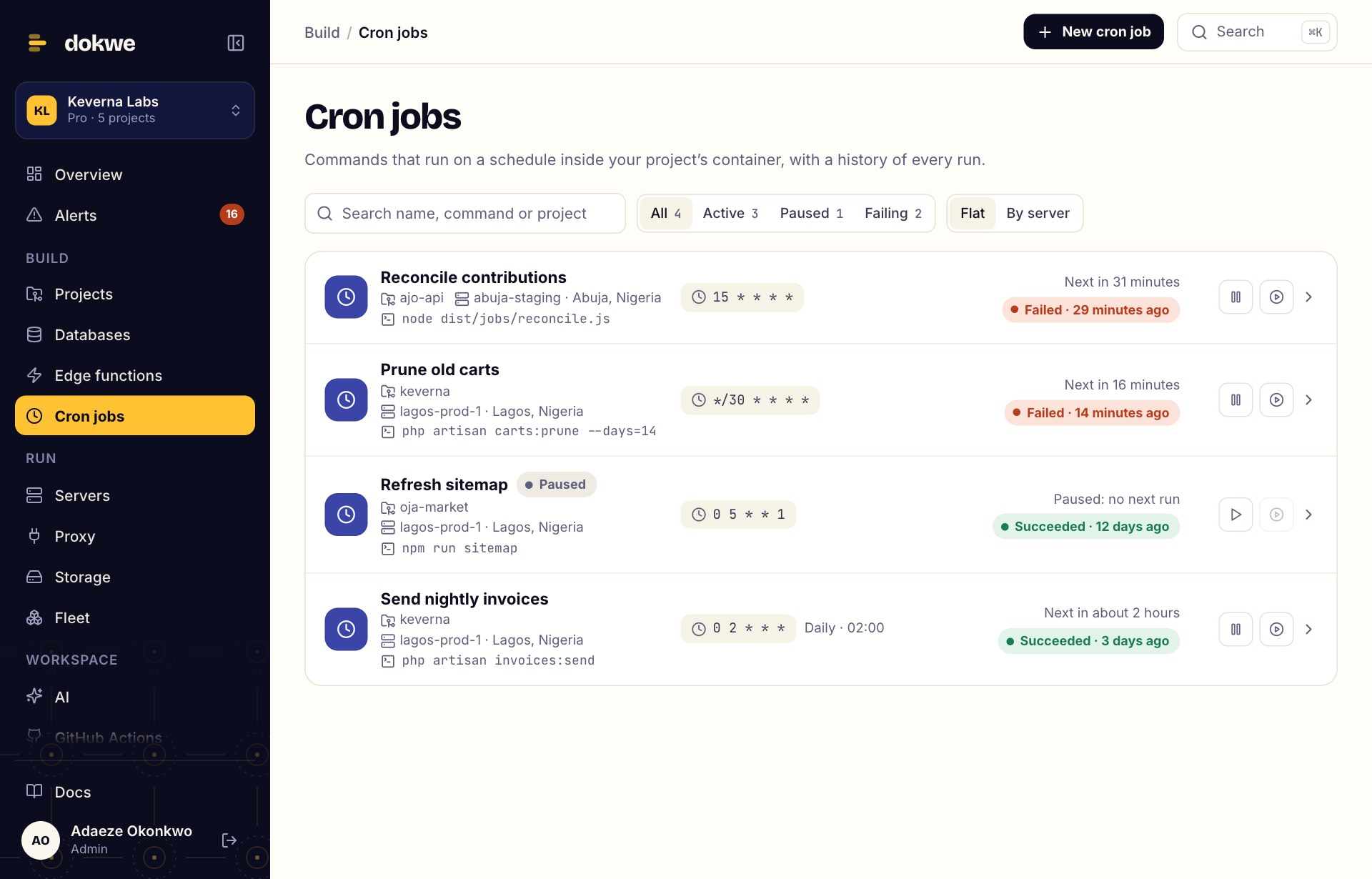
The jobs every app ends up needing.
Prune old records, rotate files, run database maintenance.
Generate and send them on a schedule, like php artisan invoices:send.
Every few minutes, inside the app that owns the data.
A campaign that should only run between two dates.
Live in three steps.
Pick the project
The command runs inside that project's live app: its container, or its current release on your server.
Command and schedule
Any shell command, and a five-field cron expression or a preset. Add start and end dates if you need them.
0 2 * * * node scripts/cleanup.js
Create
The job is scheduled straight away. Use Run now to test it, and read the output of every run.
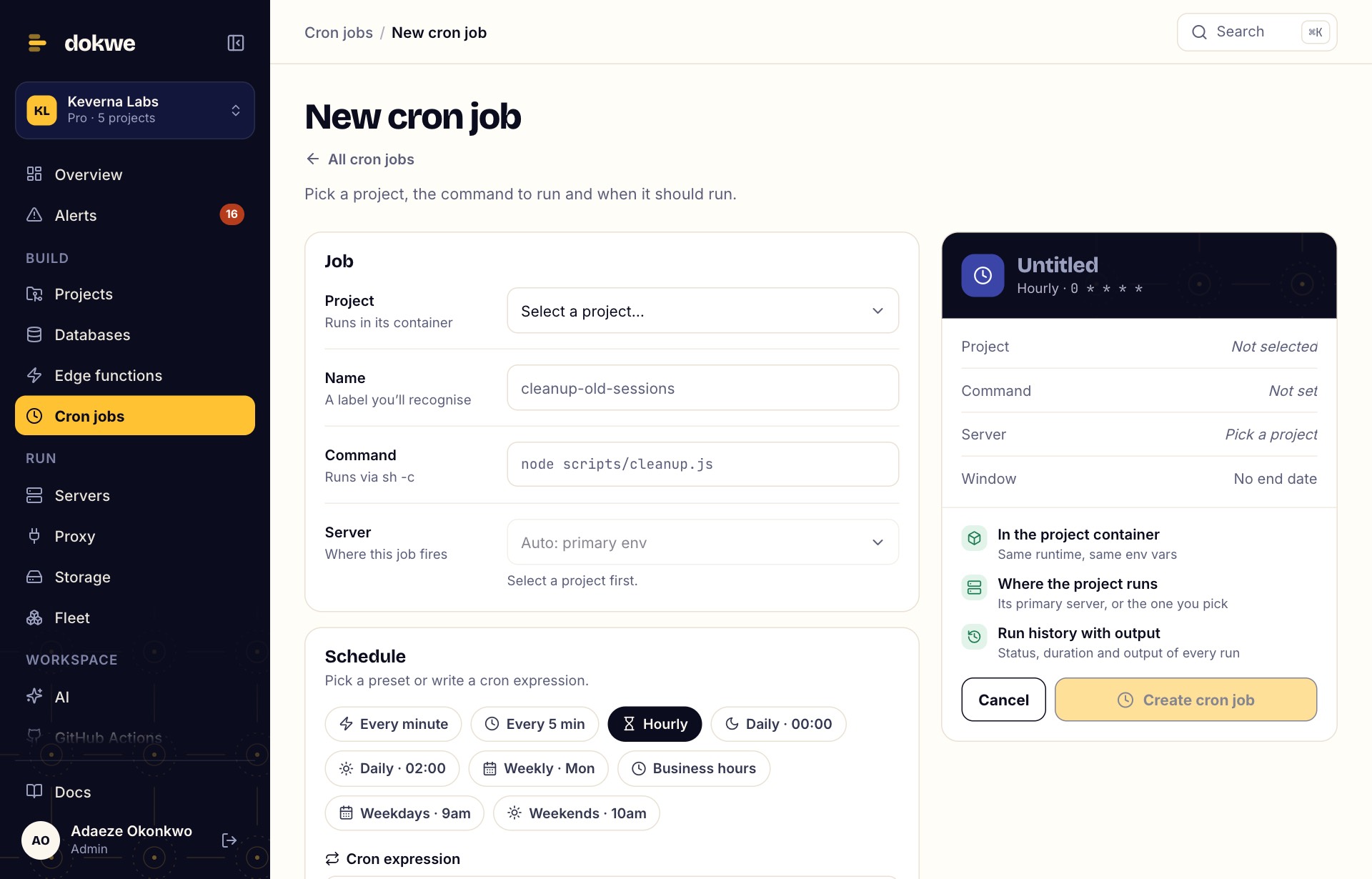
Cron, with the parts you always add later.
Checked when you save
Invalid expressions are rejected, and the job shows its next run time.
Every run recorded
Status, output, duration and the server it ran on.
Choose where it runs
Any server attached to the project, including replicas. If that server goes, the job picks one itself.
Start and end dates
Runs before the start are skipped. After the end, the job is marked ended and stops.
Run now, pause, resume
Fire a job on demand to test it, or pause it without deleting it.
Native cron in one list
Cron entries from a native app's dokwe.yml appear next to your jobs, and can be paused.
Good questions, straight answers.
What schedule format do you use?
Standard five-field cron: minute, hour, day of month, month and day of week. Dokwe checks it when you save and shows the next run time.
Where does my command run?
Inside your app as it's deployed: in the app's container, or in the current release folder as the deploy user for native apps on your own server.
Can I choose the server?
Yes. By default a job runs on the primary environment's server, but you can pin it to any server attached to the project.
How long can a job run?
Up to 5 minutes per run.
Can I see what happened?
Yes. Every run keeps its status, output, duration and the server it ran on. Use Run now to test a job immediately.
Will I know when a job fails?
Yes. A run fails when the command exits with an error, and Dokwe emails your workspace's alert addresses, or its owner and admins. You get at most one email a day per job while it keeps failing.
Part of one platform.
Move your crontab where you can see it.
Pick a project, paste the command, choose a schedule.