Your office apps, anywhere.
Dokwe Proxy puts an app that only works inside your network, like a staff portal, an HR system or an intranet, on a dokwe.com address or your own domain, with HTTPS. A small connector in your office dials out to Dokwe, and only the pages you choose get through.
Built for the apps that never left the office.
If people open it on the office network today, Dokwe Proxy can put it on your address, without moving it, rewriting it or opening your firewall.
Payslips, leave and profile updates for staff who are never at a desk.
Notices, directories and forms your team already relies on.
The warehouse report or the accounts screen, reachable from the road.
Tools built for the office network that now need a secure public address.
Live in three steps.
Add the app
Give its internal address, like http://intranet, the address you want, like portal.yourcompany.com, and the paths to publish.
Run one command in the office
On any Windows, Mac or Linux computer that can open the app. It installs a service that starts with the computer.
irm https://dokwe.com/api/proxy/install.ps1 | iex; Install-DokweConnector -Token dkp_…
It's live
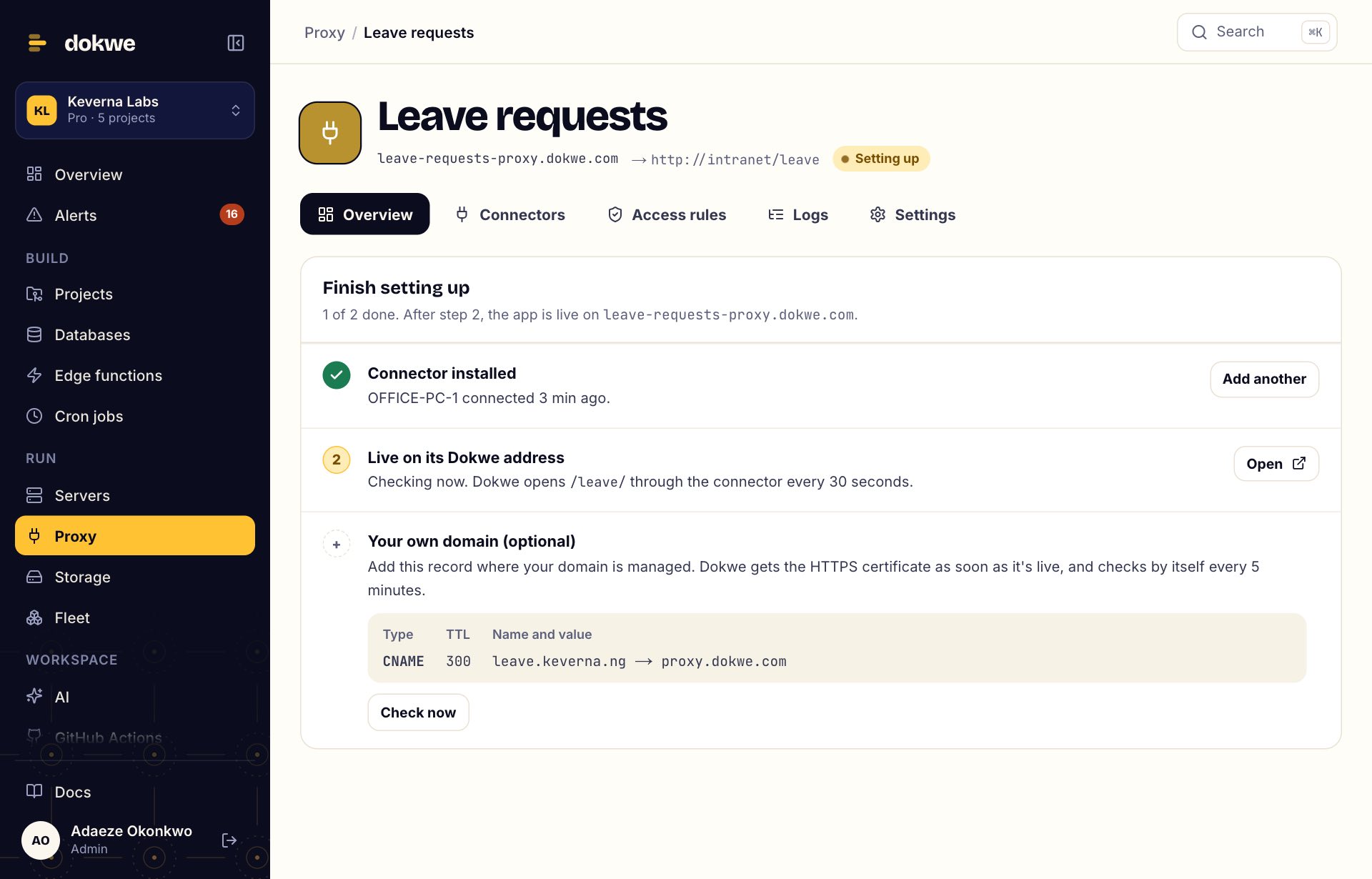
The app is on its own dokwe.com address with HTTPS straight away. Add your own domain whenever you're ready: one CNAME record, and Dokwe gets the certificate.
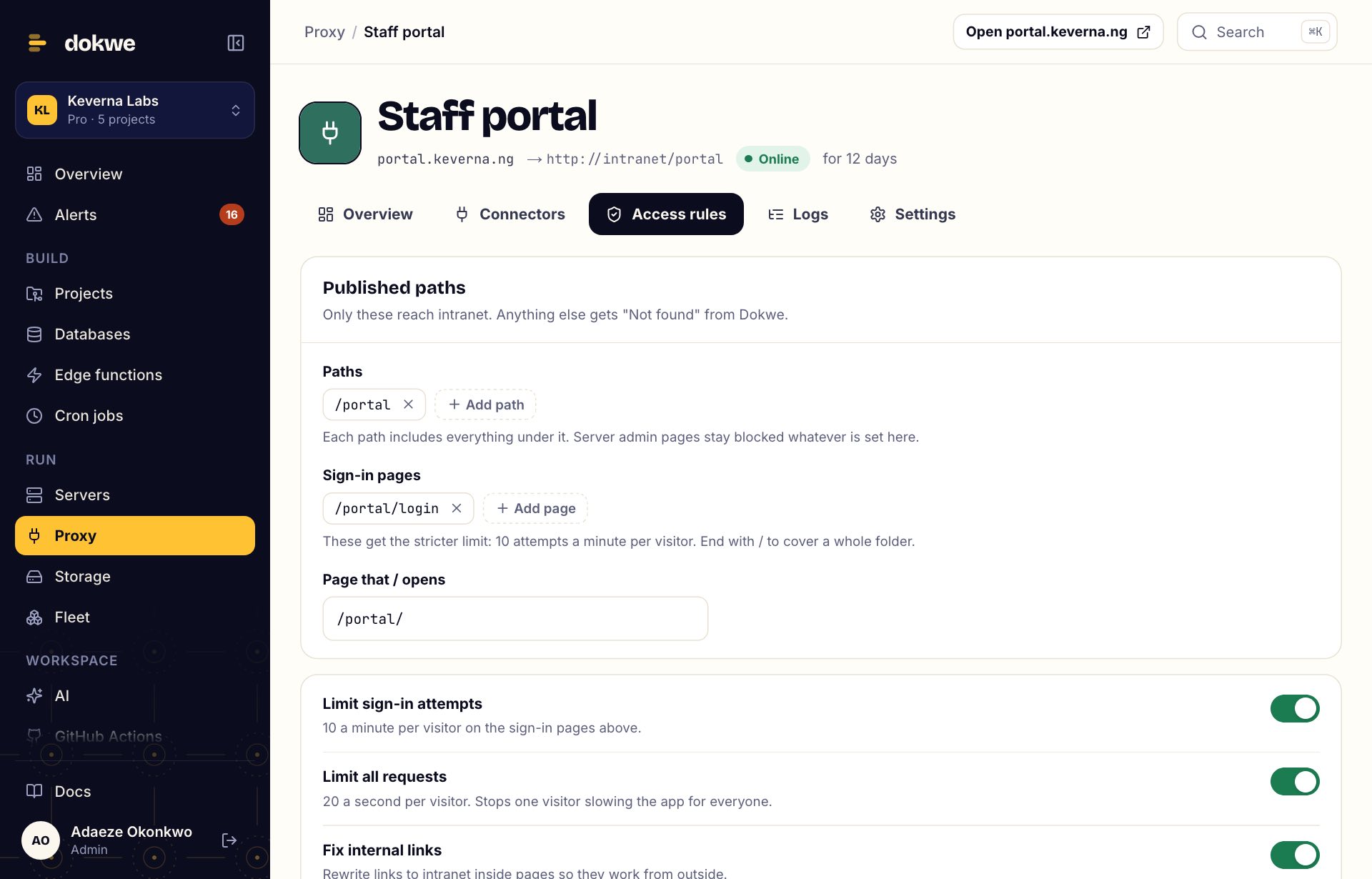
Only what you choose gets through.
Apps built for the office network were never meant to face the internet. Dokwe stands in front of them, so your server only ever sees the requests you allowed.
Only the pages you publish
Publish /portal and everything else on the server answers "Not found" at Dokwe's edge, before it reaches your office.
Server admin pages stay private
phpMyAdmin, server status pages and similar tools are never published, whatever paths you choose.
Guessing is slowed down
Sign-in pages allow 10 attempts a minute per visitor; every page, 20 requests a second. Extra attempts are refused.
Certificates, handled
Your address gets a trusted certificate as soon as its DNS record is live, and it renews by itself.
A leaked token is a one-click fix
Make a new connector token and machines using the old one are disconnected within 30 seconds.
Logs without the private parts
Request logs are kept 30 days and never hold query strings, form data, cookies or request bodies.
Older apps and slower connections welcome.
- Links your app builds with its internal name are rewritten to the address the visitor used
- CSS, scripts and images are cached at Dokwe for an hour, so they cross your office connection less
- Run the connector on two computers and Dokwe shares requests between them; one can go off
- If the office link drops, staff see a clear "temporarily unavailable" page, not a broken one
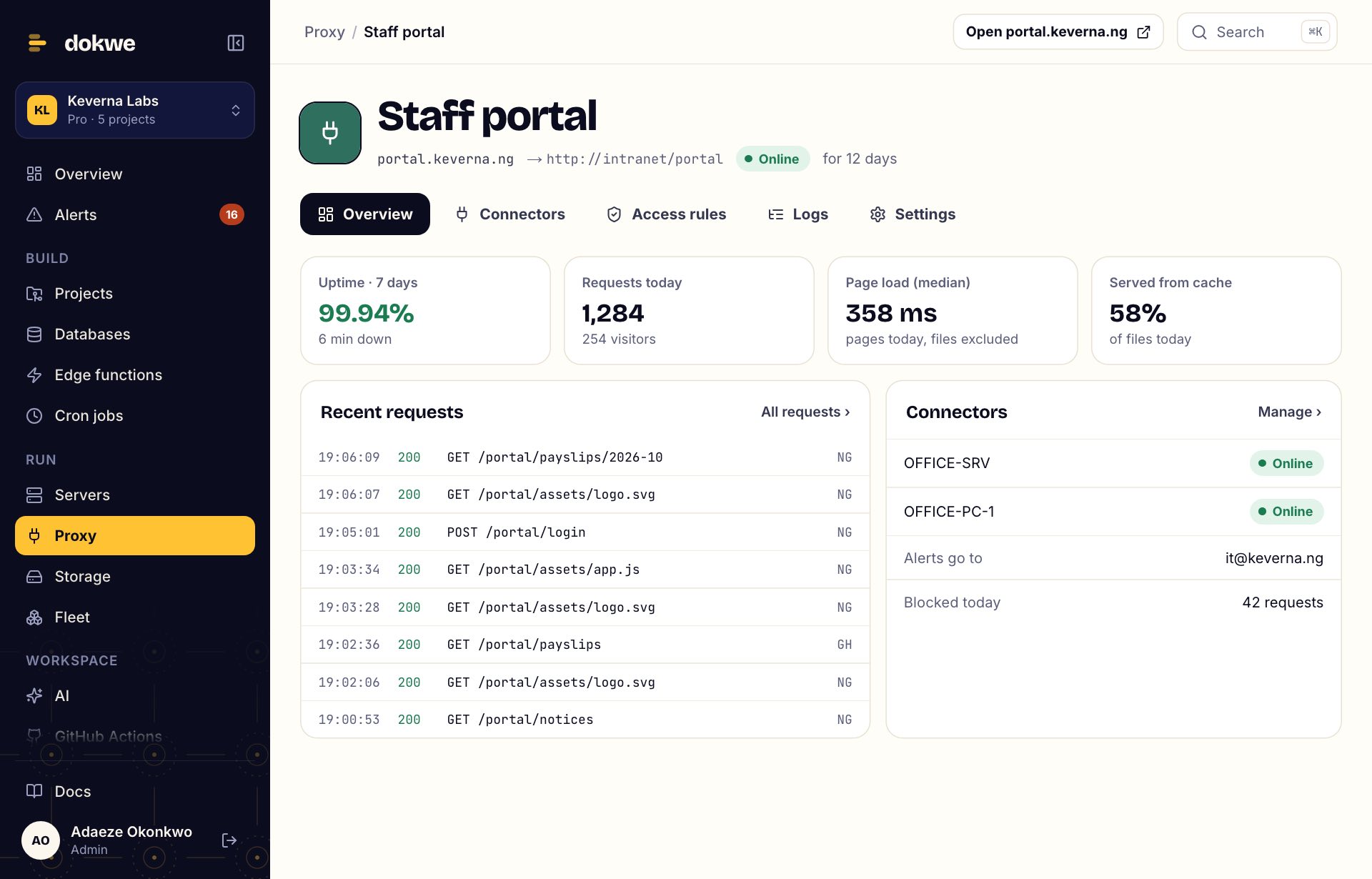
Know before your staff call.
Dokwe checks every app through the tunnel every 30 seconds. If it stops answering, your owners and admins get an email and a push notification saying why: the office connector is offline, or the app itself isn't answering.
- Uptime, requests, visitors and page load for every app
- A request log with status, time and country, and every blocked request marked
- Every change recorded in your workspace's audit log
The usual ways, side by side.
| Question | Dokwe Proxy | Port forwarding | VPN |
|---|---|---|---|
| Firewall ports opened | None | Yes, to the server | Yes, for the VPN |
| What staff install | Nothing | Nothing | A VPN app on every device |
| Reachable from outside | Only the paths you publish | The whole server | The whole network, once connected |
| HTTPS on your address | Automatic | You set it up and renew it | Not needed inside |
| Knowing it's down | Email and push alerts | Staff tell you | Staff tell you |
Good questions, straight answers.
Do I need to open any ports on my firewall?
No. The connector makes an outbound HTTPS connection to Dokwe on port 443, the same way a browser does. Nothing in your office listens on the internet.
Do I need to change my app?
No. Dokwe sends requests to the app the way the office network does, and rewrites links that use its internal name. Your app keeps its own sign-in.
What do my staff need to install?
Nothing. They open your address in any browser, on a phone or a laptop.
What does the connector run on?
Windows (PowerShell, as administrator), macOS, or Linux with systemd. It runs as a service that starts with the computer and restarts if it stops.
Can I use my own domain?
Yes, whenever you're ready. Every app is live on its own dokwe.com address from the start; add one CNAME record (or an A record where your DNS host needs it) and Dokwe issues the certificate for your domain too.
What happens if the office internet goes down?
Staff see a clear "temporarily unavailable" page, and your owners and admins get an alert. Run the connector on a second computer, ideally on another connection, to keep the app up.
What do you store about requests?
Time, method, path, status, response time, size, IP address and country, for 30 days. Never query strings, form data, cookies or request bodies.
Does it work for remote desktop, SSH or file shares?
Not today. Dokwe Proxy publishes web apps over HTTPS.
Try it on your own app for 3 days.
No card to start. We email you an invoice when you sign up; pay it before the trial ends and your apps keep running.
- 1 app on your address, with HTTPS
- 2 connector machines
- Access rules and Microsoft sign-in
- Usage reports and a 12-month forecast
- Email support
- 3 apps
- 4 connector machines
- 99.9% uptime, with service credits
- Support 7:00 to 22:00 WAT, 30-minute response
- A named engineer and a monthly report
More apps, or other parts of Dokwe? Talk to us.
Put your first office app online today.
Create a proxy, run one command, test it on your phone.